







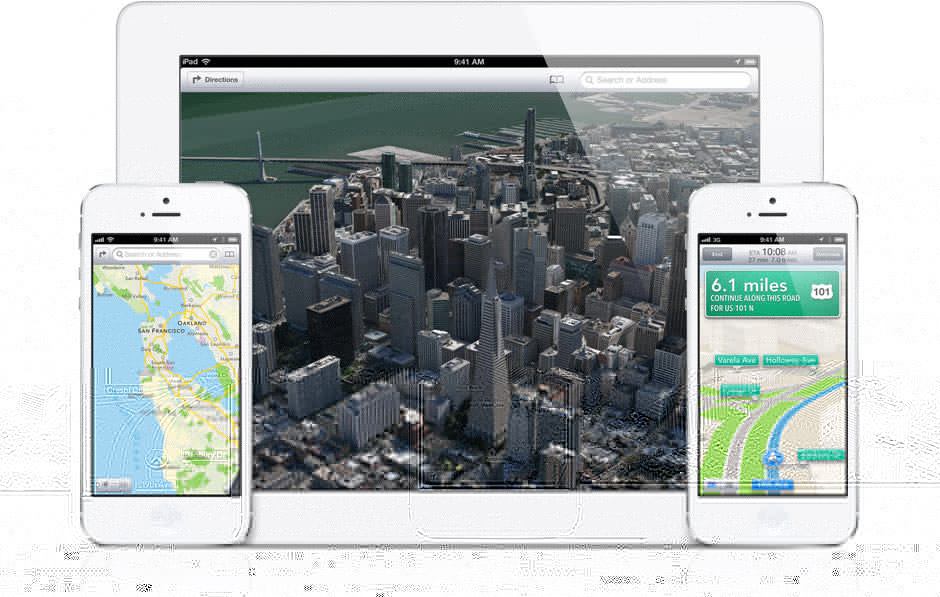
 As iPhone and iPad users upgrade to the iOS 6 operating system, there’s one issue that’s especially plaguing travelers: Apple’s Map application.
Apple’s proprietary maps effectively eliminates the Google Maps app from platforms using the new operating system. It boasts turn-by-turn navigation, traffic data, and 3D imagery, but users are complaining about several features that fall short:
1. Inaccurate, out-of-date or incredibly undetailed maps.
For anyone who relies on mobile maps on the go, this essentially undermines the entire point of a map application. Though Apple licensed map data from satellite positioning specialist TomTom, it also pulls data from several other sources, which may have contributed to the flawed experience.
TomTom officials have already put out a press release distancing the company from the product, stating that manufacturers “create their own unique application, which defines the user experience.” They do, however, promise that they’re willing to work with Apple to improve the content, while Apple claims that the cloud-based program will improve as more people use it.
Fortunately, users still have the option to download a Google web app, which bills itself as “the same Google Maps, now in your mobile browser.” It downloads to the home page and comes with nifty little icons for directions and GPS navigation. Google has hinted that it will release a true iOS app in the Apple store in the future, but no date is set.
Bonus: You know you’ve offended the Internet when someone creates a Tumblr in your honor, so check out Amazing iOS 6 Maps for a growing series of laugh-out-loud errors, including the disappearance of major universities and a loose interpretation of national borders.
 2. Nearly invisible traffic lines.
Visually, it makes little sense. The green line, indicating little-to-no traffic on highways and major streets is gone. The yellow line, indicating medium traffic, is practically invisible against the yellow streets. The line for heavy traffic is a series of red dots that are difficult to make out.
As an alternative, the Waze app relies on user-generated data to alert drivers of real-time traffic conditions, accidents and other delays. Its maps are simple and, while it boasts turn-by-turn navigation, the routing can be flawed.
Waze also happens to be an Apple partner and its CEO was one of the first to lash out at TomTom, telling Business Insider that “Apple went out and partnered with the weakest player … They’re now coming out with the lowest, weakest data set and they’re competing against Google, which has the highest data set.”
 3. No public transit directions.

Currently, there is no option on how to get from Point A to Point B using a bus, subway or other method of public transportation. For iOS 6 users, the only option is to exit Apple’s Maps and use a third-party transit app.
A reliable (and free) alternative is the Hopstop app, a long-standing favorite that offers any number of options combining bus, subway, light rail, walking, or taxi, depending on the city.
4. No Street View
One of the most useful—and fun—features of modern-day digital maps is being able to put yourself in the map and “walk” along the streets with 360-degree views. If nothing else, being able to visualize a location and its landmarks even before you get in the car reduces the need to squint at building numbers while driving at a snail’s pace. Why Apple would get rid of that is a mystery.
While it isn’t free, industry giant Garmin has already announced major updates to its navigation apps, Navigon and StreetPilot Onboard, with street view, public transit Apple Maps integration, along with visual optimization for the iPhone 5’s larger screen.
For more iPhone 5 and app ideas, check out:
- New Features of the iPhone 5 and How Travelers Will Benefit
- The Apps & Technology archives
- The Gadgets & Gear archives
By Sarika Chawla for PeterGreenberg.com. Visit her online at SarikaChawla.com.